Enable Module
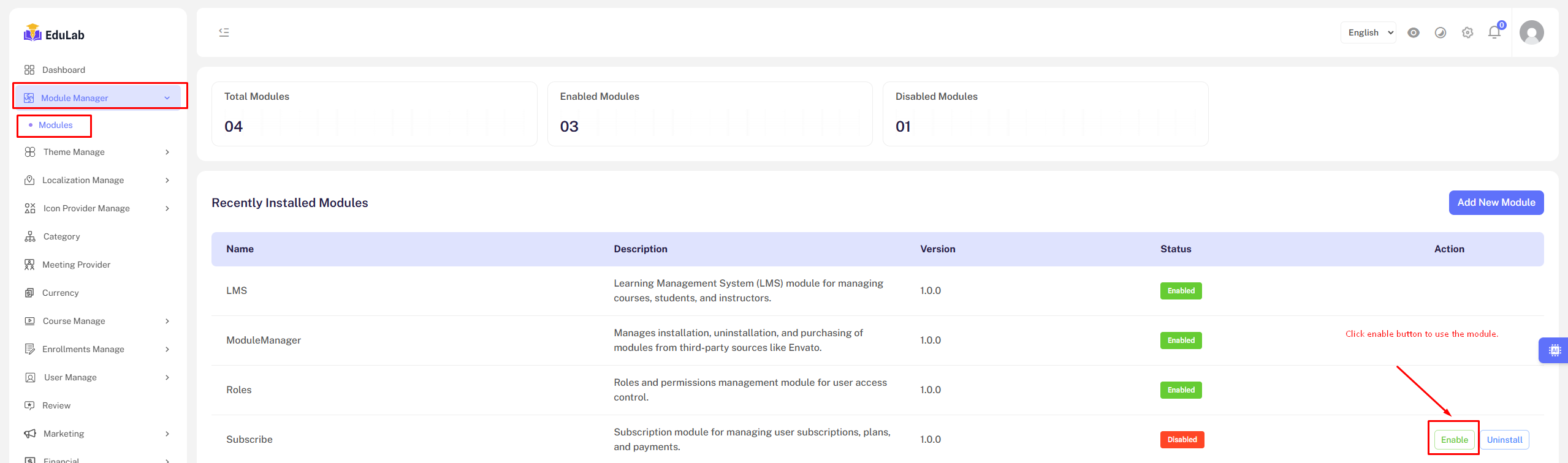
You can see the module listed, and you need to click the "Enable" button to activate it. If the "Enable" button doesn’t appear, it means the module is a core component essential for the system to function properly—therefore, the action buttons are disabled for such core modules.
If you are seeing Class "Modules\Subscription\Providers\SubscriptionServiceProvider" not found (or a similar error naming a different module's service provider), it means your module isn't recognized by the system yet. To solve the problem you need to run composer update or composer dump-autoload.
Composer update. Go to your project root dir cd /path/to/project_root/ using SSH and run composer update

Some hosting disabled composer update. Contact hosting support and enable it. You may run composer dump-autoload if composer update unavailable.
